Polski

A shared household budget without spreadsheets

PULSO is a shared household budget for couples, families and anyone splitting costs under one roof. Add an expense in seconds, and everyone else in the household sees it right away.

Coming soon to the App Store and Google Play

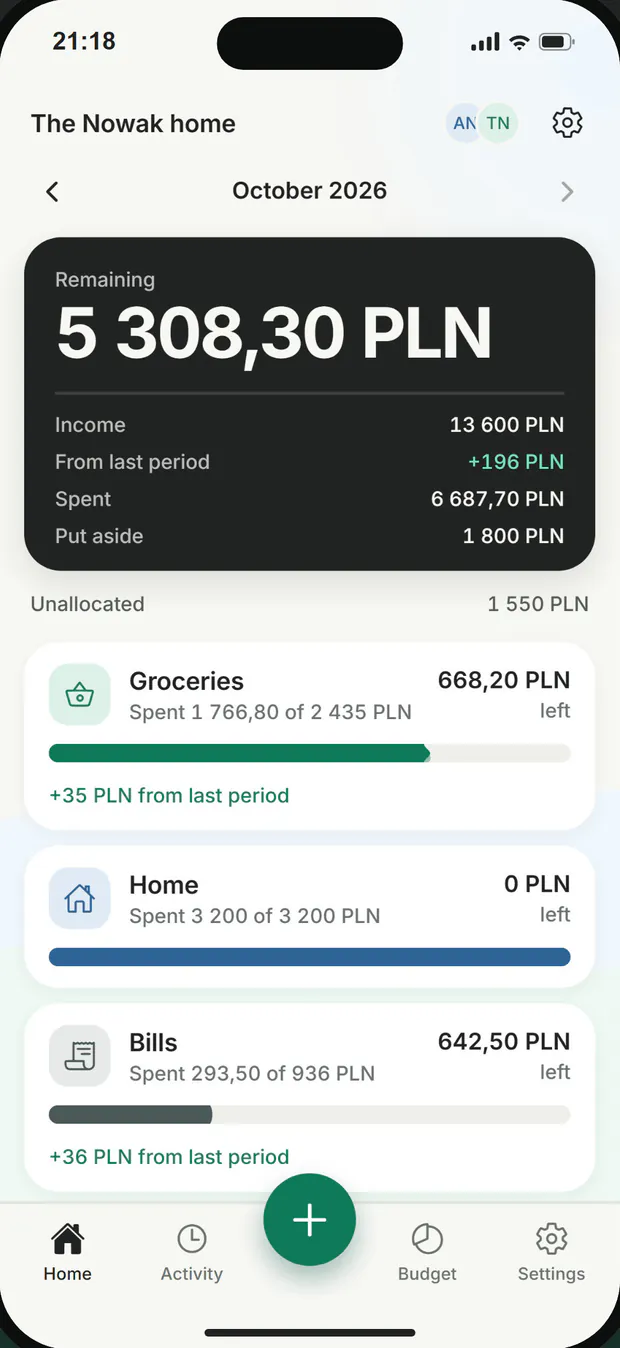
PULSO home screen: 5 308,30 PLN remaining in October and categories with progress bars.
PULSO activity list: entries by Tomek and Anna with amounts, notes and the time they were added.

One budget, everyone up to date

Every category shows what has been spent and what is left, and everyone else sees each entry right away.

Together, in real time

Invite the other person with a link. You both see the same categories, amounts and entries, and who added each one.
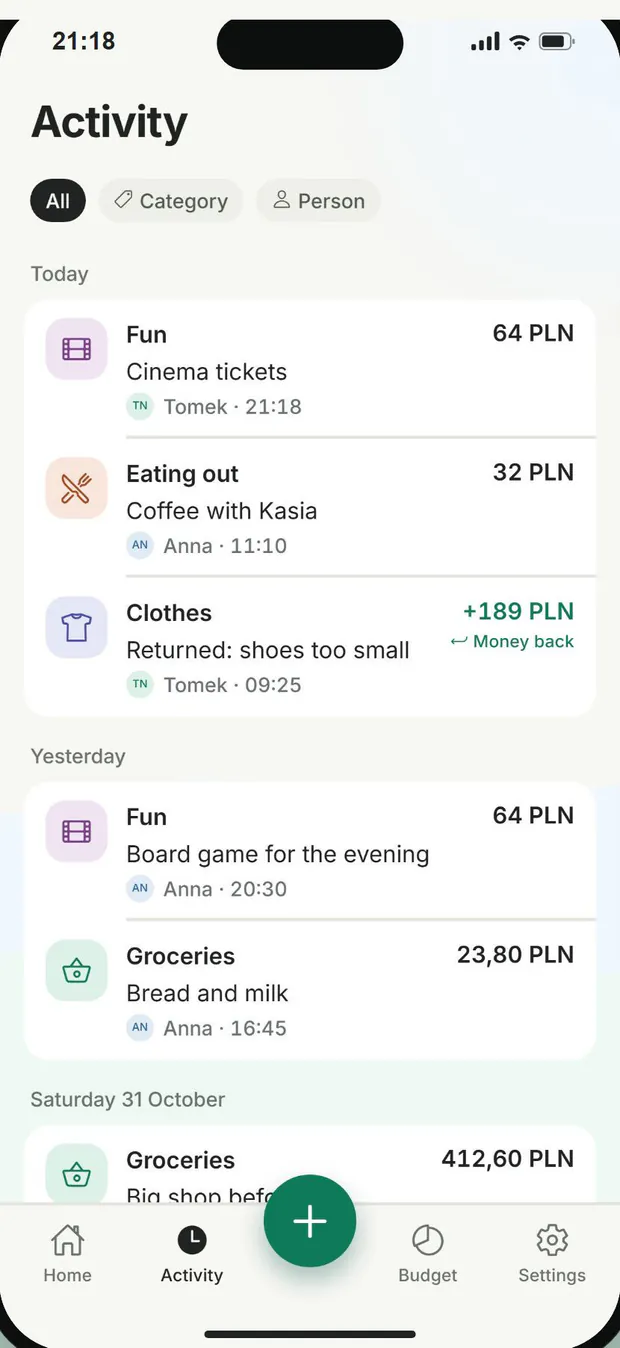
Activity: entries added by Tomek and Anna, each with the author's name.

An expense in seconds

Type the amount, pick a category, done. Add a note if you want one. With no connection the entry stays on your phone and goes out when you are back online.
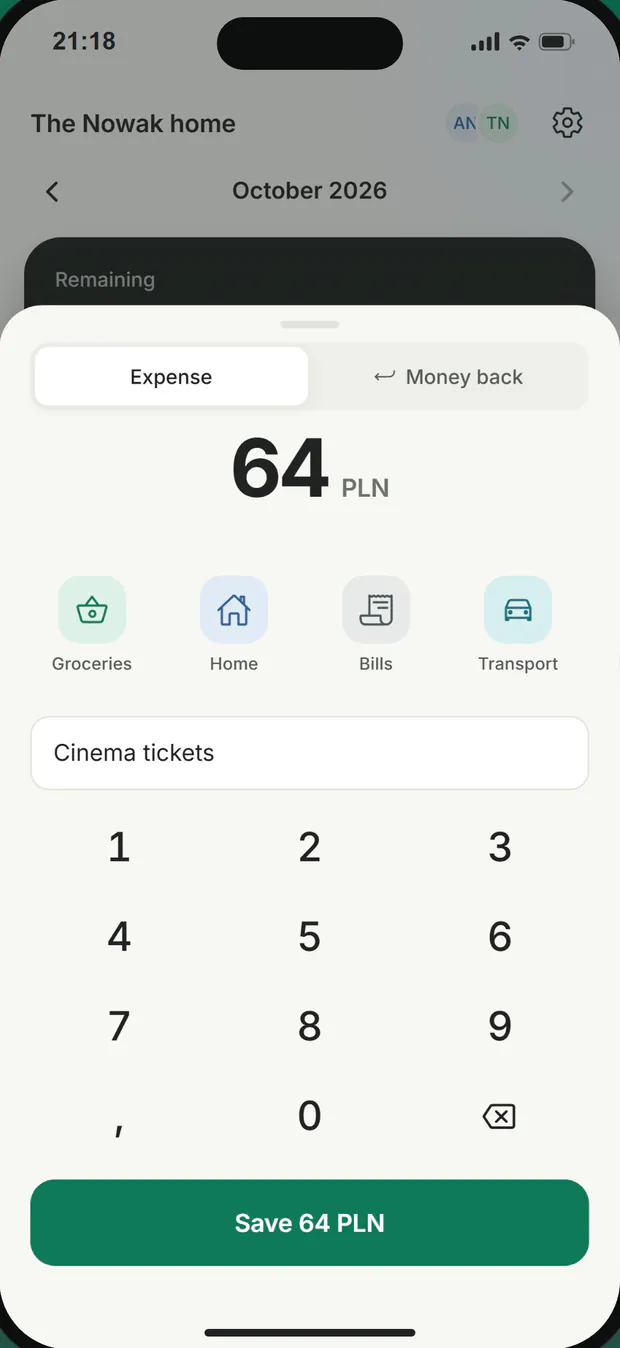
Adding an expense: 64 PLN, a category picker and the note Cinema tickets.

Liquid bars, clear numbers

Every category has a bar showing what has been spent and what is left. Going over a limit shows straight away, but an expense is never blocked.

Home screen with categories, amounts and progress bars.

Notes in every category

Tap a category to see every entry of the period with its note. Filter the activity list by category or person.
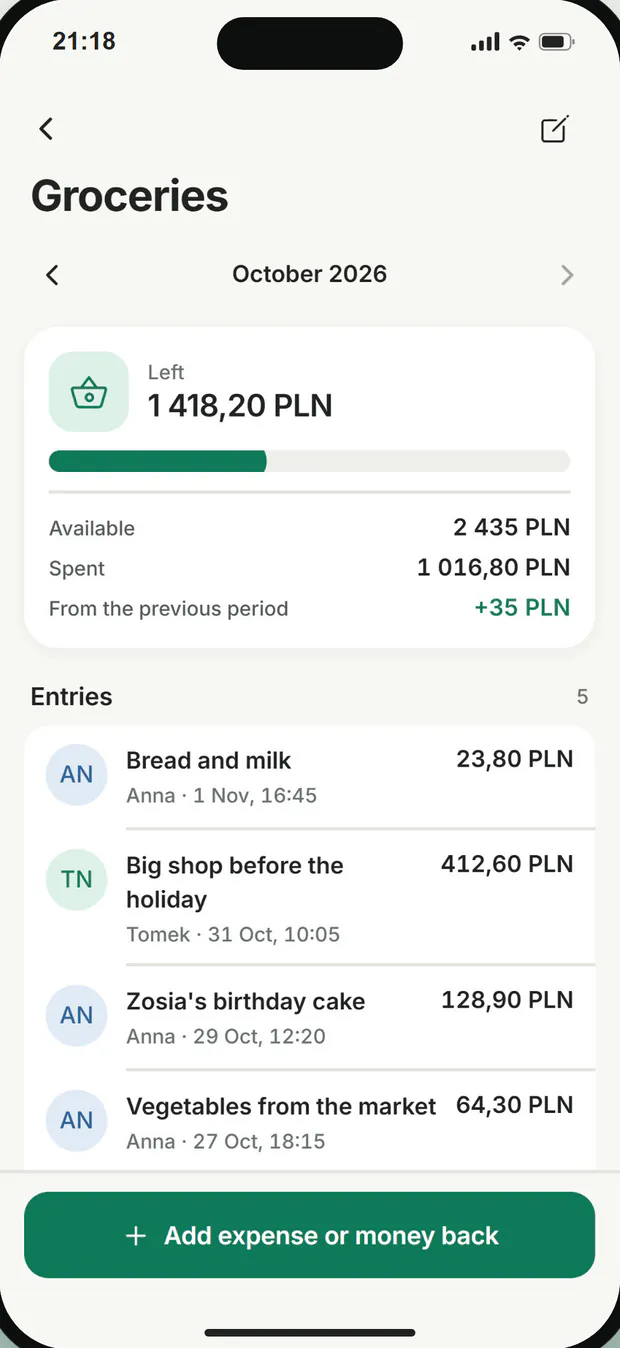
A groceries category with its list of entries and their notes.

Money back goes back in

Record a shop return or money a friend paid back as a refund. The category has that money again and your spending total stays true.
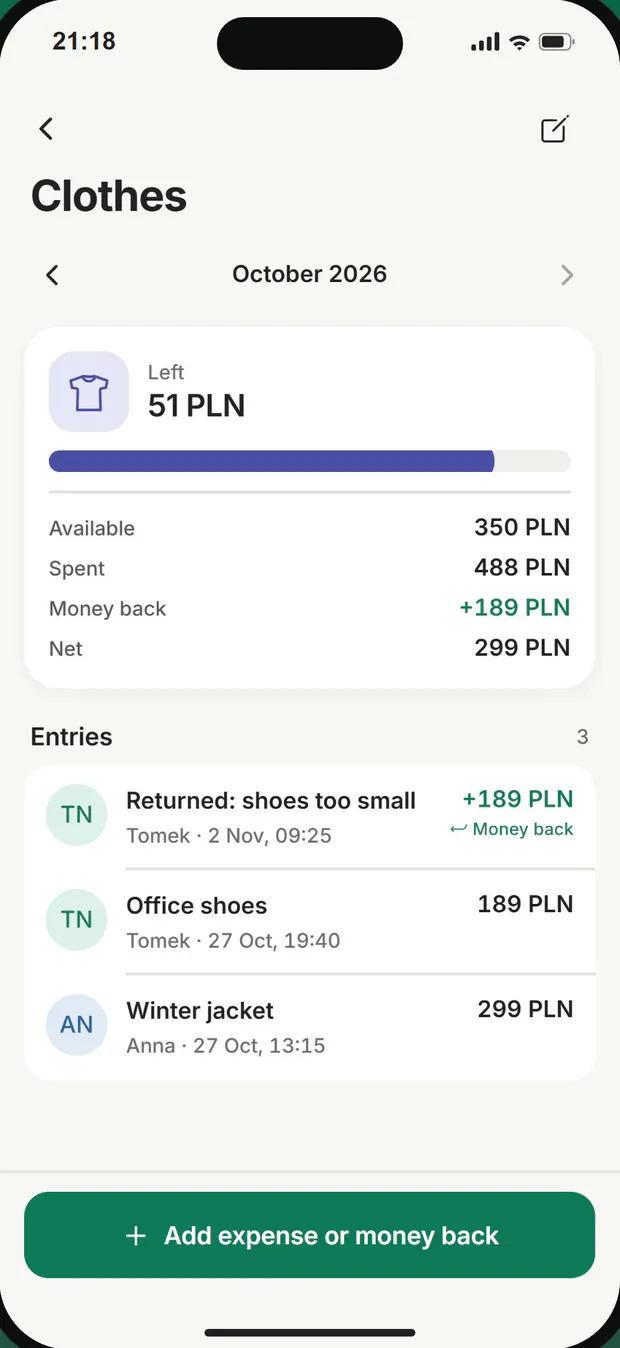
A clothes category: 189 PLN of money back shown in the summary and in the list of entries.

Savings goals

Mark a category as savings and set an amount to put aside. Money put aside does not count as spent, and reaching the goal sets off confetti.
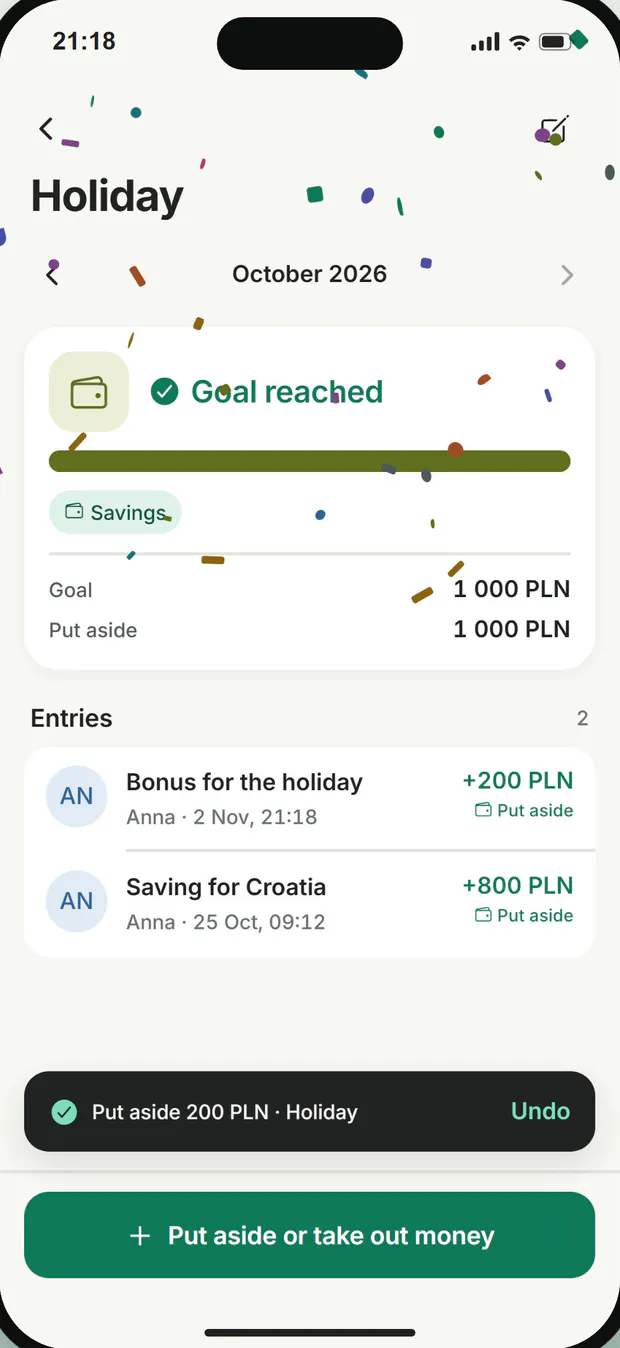
A holiday goal reached: 1 000 PLN put aside of 1 000 PLN, with confetti on screen.

Balances carry over

What is left in a category, or what it went short, moves to the same category next period. For a savings goal a shortfall raises the next amount and a surplus lowers it.
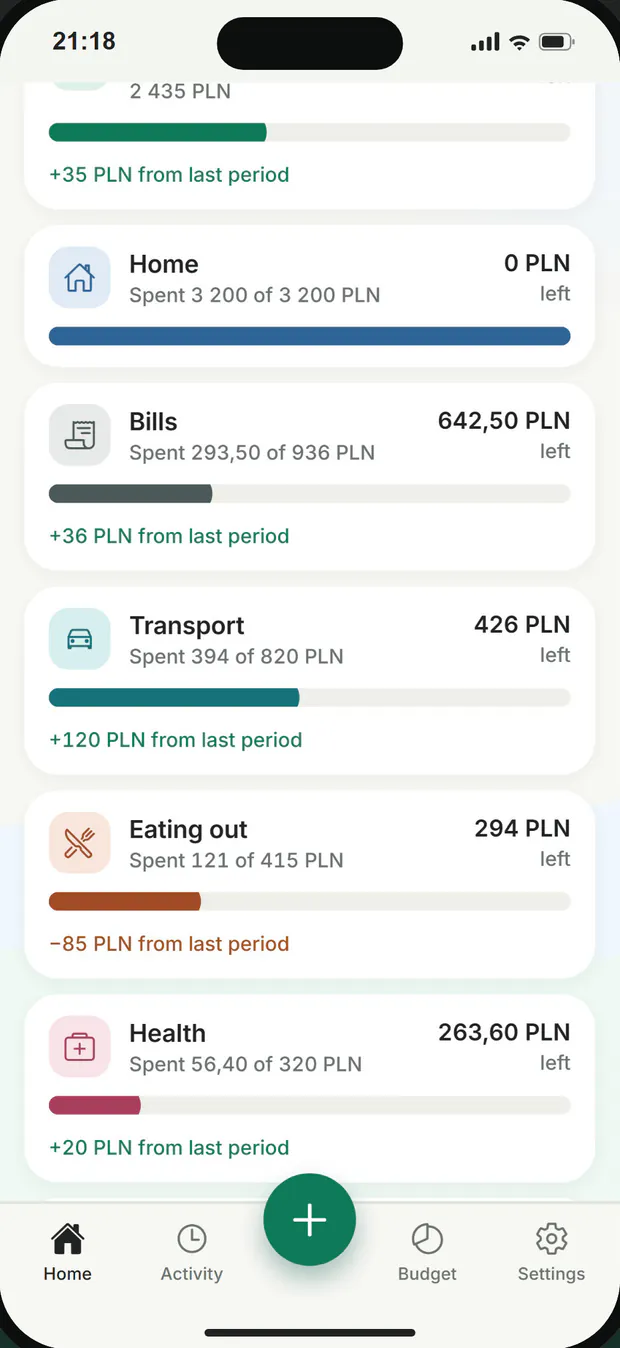
Categories with lines such as +35 PLN or −85 PLN from the last period.

Income and allocation

Add your income sources and share the money out between categories. The app warns you when you allocate more than you earn. The period starts on the day of the month you choose.

Home screen: income 13 600 PLN and unallocated 1 550 PLN.

Screens show sample data.

Good to know

  • No ads and no analytics tools in the app.
  • PULSO does not connect to your bank and makes no payments. You type the amounts yourself.
  • Sign in with Apple or Google on iPhone, with your Google account on Android.
  • Delete your account in Settings.

Common questions

Does PULSO connect to my bank?
No. PULSO does not connect to your bank and makes no payments. You type the amounts yourself.
How does the other person join?
The household owner creates an invitation in Settings and sends the link. The other person opens it on their phone and signs in. More on the Support page.
Is it only for couples?
No. PULSO is for couples, families and anyone splitting costs under one roof.
Can I add an expense with no internet?
Yes. With no connection the entry stays on your phone and goes out when you are back online.
What happens if I go over a category limit?
It shows straight away, but an expense is never blocked. What the category went short moves to the same category next period.
Which currency does the budget use?
You choose the household's currency from PLN, EUR, USD and GBP.
Are there ads in the app?
No. The app has no ads and no analytics tools.
Who can see my data?
People in your household see the budget, entries and notes. Google (Firebase) stores the app's data. The database runs in the europe-central2 region (Warsaw), and Firebase Authentication runs in US data centres. The details are in the privacy policy.
How do I delete my account?
In the app: Settings, Delete account. For the steps without the app, and what gets deleted, see Deleting your account.